Capture your own audio
Stutter repeats recent input from the channel. There is no bundled sample pack to select or tune: the captured sound comes from your track.
LIVE CAPTURE / RETRIGGER / HARD DANCE
Turn the audio already playing into a rhythmic fill. Twelve host-synced patterns bring repeats, triplets, reverses and accelerating cuts to hard-dance and rave transitions.
Download for MacMade by JDMeet. Discover the music →
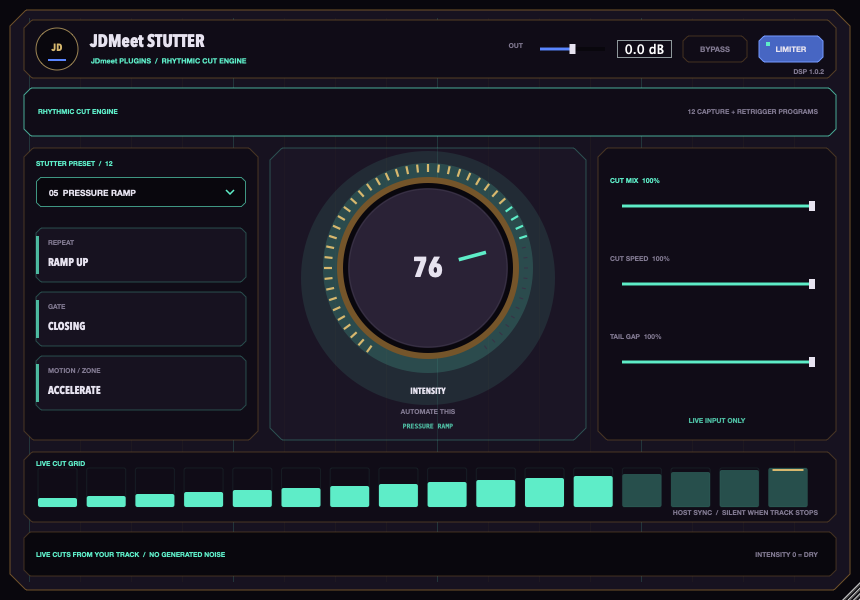
Stutter repeats recent input from the channel. There is no bundled sample pack to select or tune: the captured sound comes from your track.
Start with straight sixteenths or thirty-seconds, then try triplets, dotted repeats, swung pairs, reversed slices or short bursts at the end of a beat.
The patterns follow tempo and musical position from the DAW. Short transitions soften slice and active-window edges without moving the rhythmic grid.
Play the source channel, choose a pattern and raise Intensity. Adjust Cut Mix and Cut Speed to taste, then automate Intensity for the fill. Return it to zero to release the effect and hear the original channel again.
Run your DAW transport and feed the channel audio before raising Intensity, so there is recent material to capture. Tempo and timeline position must be supplied by the host. Drop Guillotine intentionally includes a final cut; Tail Gap controls the high-Intensity silence effect.
INSTALLATION
macOS 11 or newer, Apple Silicon or Intel, and a VST3-compatible DAW such as FL Studio or Ableton Live. This download does not include Windows, AU or AAX; Logic Pro does not load VST3 directly.
/Library/Audio/Plug-Ins/VST3/JDmeet Stutter.vst3. This updates the same plugin instead of creating another identity.This update smooths performance-control transitions and removes the limiter’s previous automatic gain increase. The limiter is a sample-peak guard, not a true-peak mastering limiter.
Audio regression and VST3 host tests check defined behaviours and stability. They do not guarantee that every preset suits every track or that every version of every DAW has been tested.
Installer SHA-256: 2c6448b17ca7e616c0fad0f4850060c1e70142e3c5bb1f63b54119b89e6a2cd5
Want a rising sweep instead of repeated slices? JDMeet Filter shapes transitions with eight effect modules.
TOOLS BY A PRODUCER. MUSIC FOR THE FLOOR.
JDMeet is a Hard Dance Music (HDM) DJ and producer, creating and playing hard techno, hardstyle and hardcore. Explore two releases from the producer behind these plugins.
Hard techno.
About the track →Acid bounce techno.
About the track →